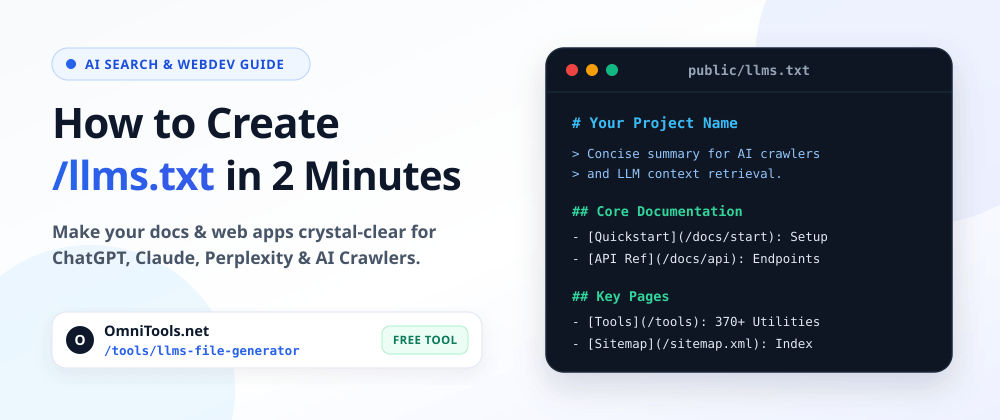
Every developer knows robots.txt (telling crawlers what they can access) and sitemap.xml (listing every URL on your domain).
Now there is a third root file rapidly becoming standard across documentation sites, open-source repos, and SaaS platforms: /llms.txt.
If you want ChatGPT, Claude, Perplexity, Cursor, or other AI coding agents to understand your product accurately without choking on navigation menus, cookie banners, and minified JS bundles, setting up an /llms.txt file takes less than two minutes.
Here is the exact spec, how it differs from robots.txt and sitemap.xml, copy-paste templates, and a free browser-based generator if you want to skip manual formatting.
Why HTML Pages Confuse AI Crawlers
Traditional web pages are built for browsers, not language models. When an LLM fetches your homepage or docs page, a huge chunk of its context window gets wasted on:
- Repeated
<nav>,<footer>, and sidebar markup - Inline SVGs, hydration payloads, and JavaScript bundles
- Marketing copy that hides where your actual API reference or pricing lives
The /llms.txt proposal solves this cleanly: place a single, lightweight Markdown file at the root of your domain (https://yourdomain.com/llms.txt) that gives AI systems a structured map of your site's most important pages and concise descriptions of what each page contains.
robots.txt vs sitemap.xml vs llms.txt
Developers often ask whether llms.txt replaces existing SEO files. It doesn't — each file serves a distinct purpose:
| File | Location | Primary Audience | Format | Purpose |
|---|---|---|---|---|
robots.txt | /robots.txt | Search & AI bots | Plain text rules | Controls crawl permissions (Allow / Disallow) |
sitemap.xml | /sitemap.xml | Search engines | XML | Exhaustive URL index for discovery & freshness |
llms.txt | /llms.txt | LLMs & AI agents | Markdown | Curated, human- & AI-readable map of core content |
Think of sitemap.xml as your entire phonebook, and llms.txt as your curated quick-reference guide.
Anatomy of a Valid /llms.txt File
The specification is intentionally minimal so any Markdown parser or LLM can read it reliably:
- H1 Title (
# Project Name) — The only strictly required element. - Blockquote Summary (
> ...) — A crisp 1–2 sentence overview of what your site, library, or product does. - Optional Context Paragraph — Extra details about architecture, pricing model, or supported tech stack.
- H2 Sections (
## Section Name) — Categorized Markdown bullet lists using[Title](URL): Short description. - Optional Section (
## Optional) — Secondary links (changelogs, legal pages, archives) that AI agents can skip if context window space is tight.
Copy-Paste /llms.txt Template
Here is a clean starter template you can adapt for a SaaS app, developer tool, or documentation site:
markdown # Acme Dev Platform > Fast, browser-based developer utilities and API tooling built for frontend and full-stack engineers. Acme Dev Platform provides lightweight, client-side tools with zero sign-up friction and clean REST APIs for teams. ## Core Documentation - [Quickstart Guide](https://example.com/docs/quickstart): Install the SDK and make your first request in under 5 minutes. - [API Reference](https://example.com/docs/api): Complete list of endpoints, authentication headers, and rate limits. - [Architecture Overview](https://example.com/docs/architecture): How client-side execution and edge caching work. ## Key Product Pages - [Developer Tools Directory](https://example.com/tools): Browse all available formatters, converters, and validators. - [Pricing & Plans](https://example.com/pricing): Free tier limits and enterprise SLA details. ## Optional - [Changelog](https://example.com/changelog): Recent feature releases and bug fixes. - [Privacy Policy](https://example.com/privacy): Data handling and security disclosures.