Acer Ovia T520: One-minute review
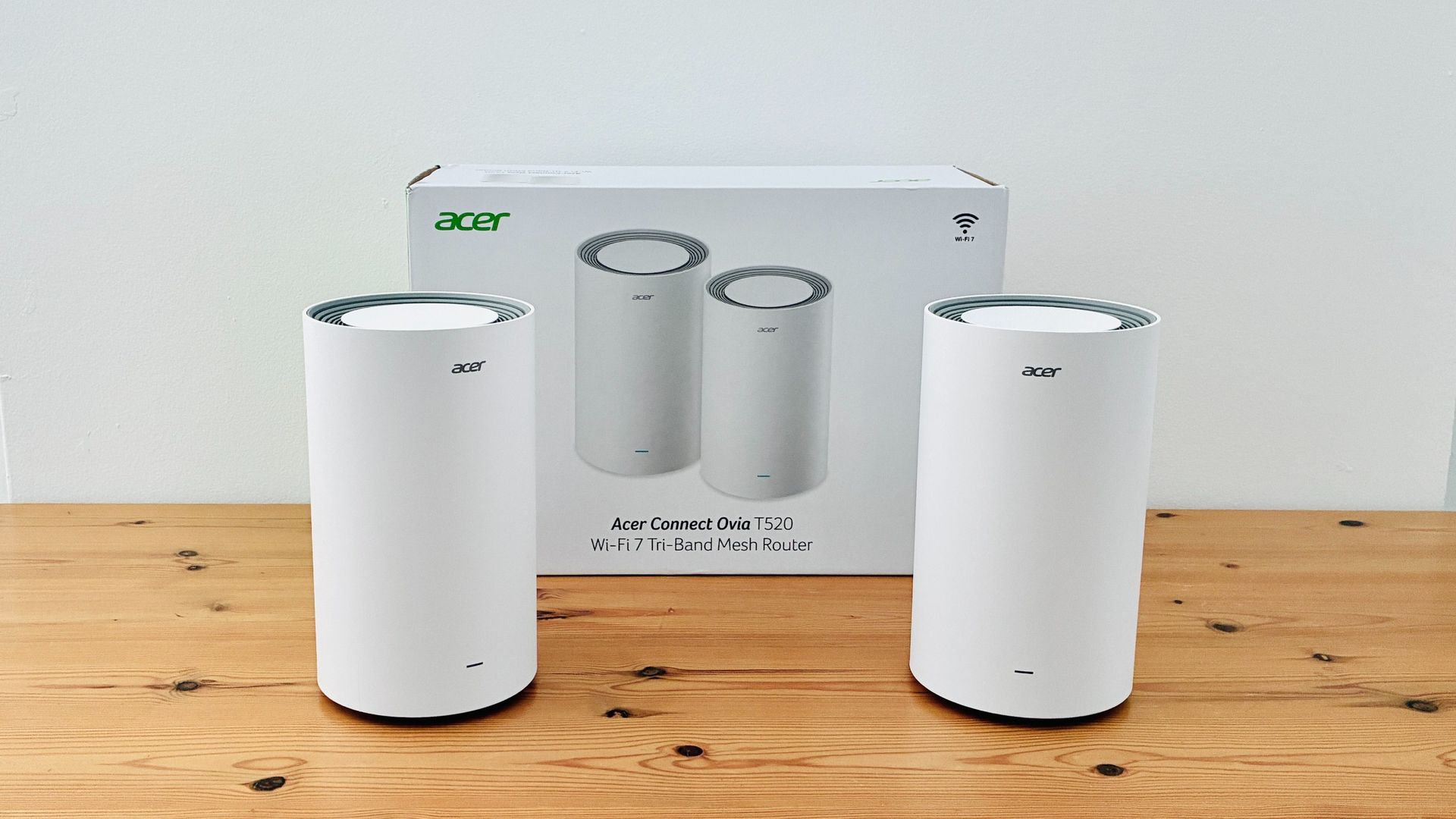
The Acer Ovia T520 is a tri-band mesh router system running Wi-Fi 7. The Ovia range focuses on boosting range and reliability for larger homes and offices, in contrast to the Acer Predator line's focus on impressive performance for online gaming and streaming.
The T520 doesn’t attempt to match the blistering speed of the Predator routers, but its top speed of 5.7Gbps should still be more than adequate for most home users and small businesses, and it can connect to up to 200 devices spread across thousands of square feet. It’s also competitively priced when compared to many rival Wi-Fi 7 mesh systems.
Acer Ovia T520 review: Price & release date
- How much does it cost? $199.99 / £149.99
- When is it available? Now
- Where can you get it? Available in US, UK and EU
The T520 is one of the more affordable mesh systems we’ve seen recently, providing Wi-Fi 7 and tri-band performance at a similar price to dual-band rivals such as the Netgear Orbi 373 or Amazon’s Eero 7. You can buy a single T520 and use it on its own as a conventional router for just $199.99 / £149.99, and Acer states that each router can cover an area of approximately 1200sq.ft.
However, we tested a two-pack mesh-system that costs $379.99 in the US, and there’s a three-pack also available for $549.99. Customers in the UK get a good deal though, as the two-pack and three-pack systems are priced at £199.99 and £279.99 respectively.
At the moment, the Ovia mesh systems are only available from Acer’s own online store, although they should be widely available from other online retailers in the US, UK and EU in the coming weeks. They are not currently available in Australia.
- Value score: 5 / 5
Acer Ovia T520 review: Specs
Wi-Fi Support | Tri-band Wi-Fi 7 (2.4GHz, 5.0GHz, 6.0GHz) |
Wi-Fi Speed | Up to 5.7Gbps (using 6.0GHz) |
Ports | 1x 2.5Gbit WAN, 3x 2.5Gbit LAN |
Processor | Unspecified |
Dimensions | 8 x 4.6 x 4.6 inches / 202 x 116 x 116mm |
Acer Ovia T520 review: Design
- Smart, well-designed routers
- Four Ethernet ports per router
- Setup could be smoother
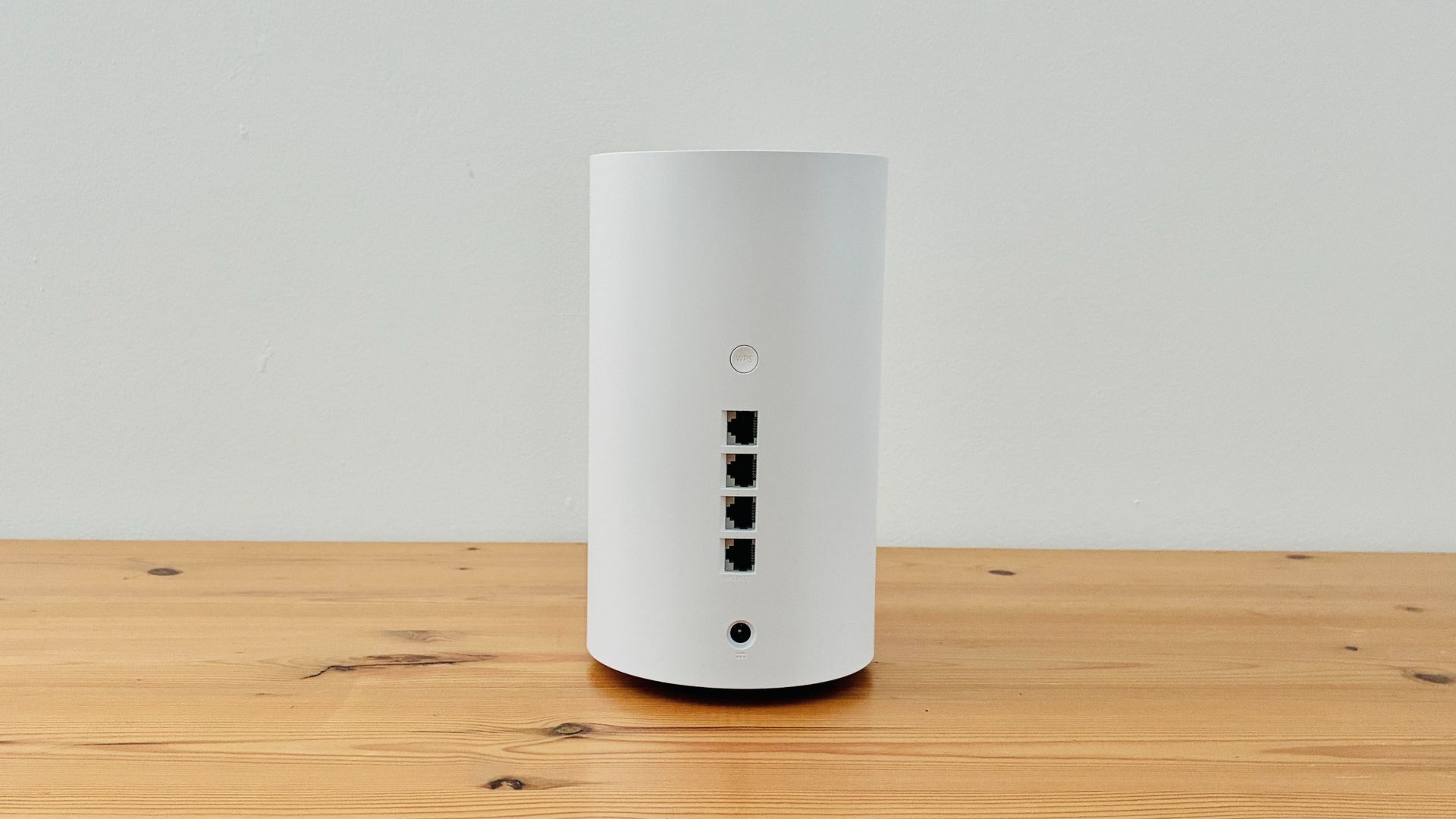
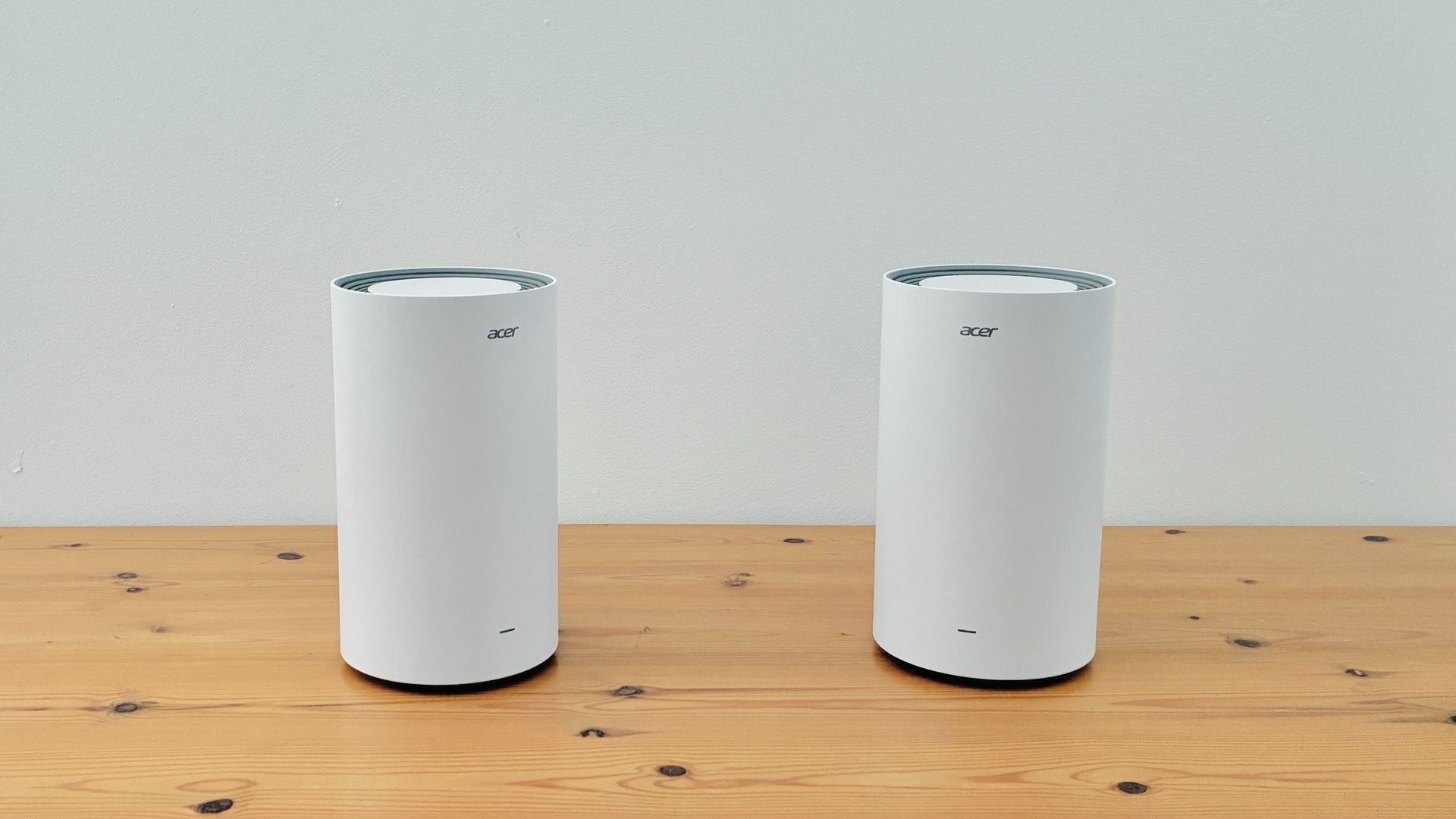
The Ovia routers are neatly designed, looking rather like tall, white flower-pots. They’re fairly large, standing 202mm high and 116mm in diameter, and they house six internal antennae, so you’ll need a shelf or table with a fair amount of space when setting them up. They’re sturdily built, though, with cooling vents on the top and bottom panels, while the back of each router houses four 2.5Gbps Ethernet ports — one for your Internet connection (WAN), while the other three provide wired connections (LAN) for computers and other devices.
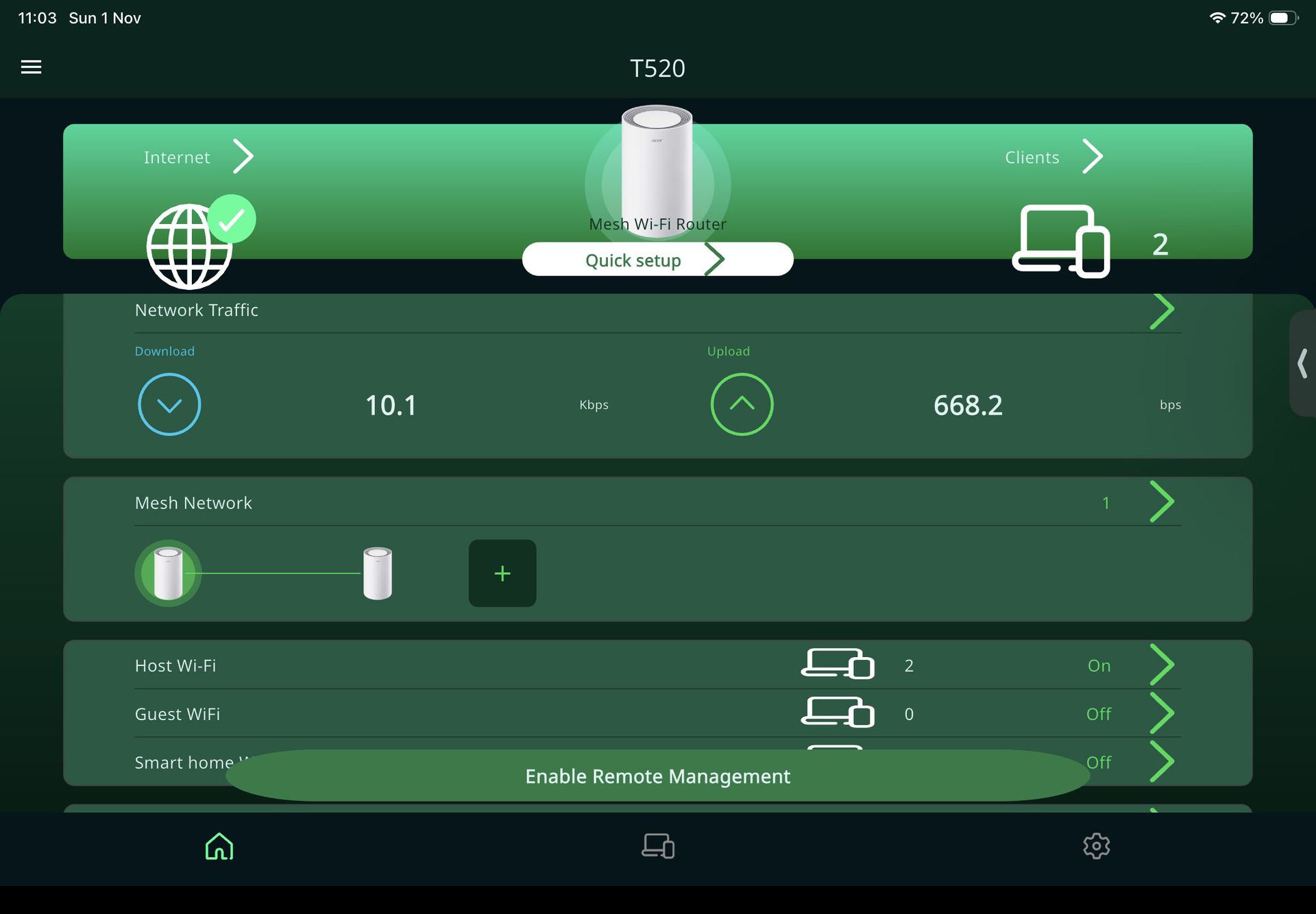
Acer’s Connect app isn’t quite so straightforward, though. It doesn’t tell you which of the Ovia routers should be set up first and connected to your existing modem or router in order to use your broadband connection — as many of its rivals do — so people who haven’t used a mesh Wi-Fi system before might get confused here. Some of the instructions for connecting the second router were also confusing, such as the app telling me to wait for the LEDs on the routers to glow ‘solid white’ to confirm the connection – when in, fact, the lights were flashing green.
By default, the app sets up two separate networks, reserving the fastest 6.0GHz frequency for newer computers and mobile devices that support Wi-Fi 7 or 6E. The slower 2.4GHz and 5.0GHz frequencies are combined into a single network to provide compatibility with older devices. However, that combined network was named ‘T520-2.4GHz’, which left me scanning through various menus within the app in order figure out what had happened to the 5.0GHz band. So Asus needs to make the app much more straightforward and provide clearer guidance for first-time users.
- Design score: 4 / 5
Acer Ovia T520 review: Features
- Acer app isn’t very helpful
- Limited parental controls
- Can create guest network for visitors
As mentioned, the Ovia T520 provides tri-band Wi-Fi 7 with a top speed of 5.7Gbps, and that performance will handle gaming, streaming video and other demanding online tasks with no trouble at all. Again, though, it’s the Asus app that proves a little disappointing. The app does include basic features such as the ability to set up a guest network for visitors, as well as a Smart Home network that can be reserved for devices such as smart lights and security cameras.
There’s also a QoS (quality of service) feature for managing the use of bandwidth on your network. But while many routers allow you to prioritize performance for specific tasks such as gaming or streaming, the Asus app requires you to laboriously specify the maximum speeds you want to allow for individual devices.
It’s a similar story with the app’s parental controls. There is an option to create a schedule for Internet access so that the kids don’t stay up all night doom-scrolling on Instagram, but the automatic web content filters that we’ve seen with previous Asus routers weren’t available with the T520. Instead, the app requires you to manually set up a White List or Black List by typing in the addresses of individual websites — something that’s not exactly helpful for busy parents.
- Features score: 3.5 / 5
Acer Ovia T520 review: Performance
- Tri-band Wi-Fi 7
- Good range for larger homes
- 2.5Gbps Ethernet ports
Ookla Speed Test – 2.4GHz+5.0GHz (download/upload)
Within 5ft, no obstructions: 150Mbps/150Mbps
Within 30ft, three partition walls: 150Mbps/150Mbps
Ookla Speed Test – 6.0GHz (download/upload)
Within 5ft, no obstructions: 150Mbps/150Mbps
Within 30ft, three partition walls: 150Mbps/150Mbps
20GB Steam Download - 2.4GHz+5.0GHz
Within 5ft, no obstructions: 150Mbps
Within 30ft, three partition walls: 150Mbps
20GB Steam Download - 6.0GHz
Within 5ft, no obstructions: 150Mbps
Within 30ft, three partition walls: 150Mbps
Range and reliability can be a problem in many larger homes and offices, as evidenced by the Wi-Fi deadspot I have in a back office at the end of a hallway within my building. However, the two-piece Ovia system that I tested dealt with this problem effortlessly, with no need for a third mesh router either.
Unsurprisingly the Ovia was able to take advantage of the full 150Mbps speed provided by my office network when connecting to nearby devices in the same room. Both of its networks — the dedicated 6.0GHz network and the combined 2.4GHz/5.0GHz network — breezed along at a consistent 150Mbps when running the Ookla Speed Test, and also when downloading large game files from Steam. The Wi-Fi connection also remained steady when I picked up my test laptop and walked along the corridor to that office at the back of the building, with both its networks maintaining a speed of 150Mbps for the Ookla and Steam tests.
It’s not the fastest Wi-Fi 7 system currently available, but its speed of 5.7Gbps still outstrips most home broadband services and its competitive pricing makes the Ovia T520 a good option for any home or office that needs to improve the range and reliability of its Wi-Fi network.
- Performance score: 4.5 / 5
Should I buy the Acer Ovia T520?
Attribute | Notes | Score |
Design | Compact and neatly designed, with four Ethernet ports. | 4 / 5 |
Features | Limited parental controls and QoS features are disappointing. | 3.5 / 5 |
Performance | A mid-range option, but more than fast enough for most domestic broadband services. | 4.5 / 5 |
Value | Tri-band performance at dual-band prices. | 5 / 5 |
Buy it if…
You have a large home / office
With two-pack and three-pack options available, the Ovia T520 is a good option for larger homes and offices that need to extend the range of their Wi-Fi network.
You have a new PC or mobile devices
The high-speed 6.0GHz band provides impressive performance, but you’ll need a recent PC or mobile devices that support Wi-Fi 6E or 7 to get the best performance.
Don’t buy it if…
You’re on a budget
It’s competitively priced, but few homes will need the full speed of the T520, and there are many less expensive dual-band mesh systems available.
You need parental controls
We’ve seen routers from Acer that provide automatic content filters for blocking material that is unsuitable for children, but these are no longer available with the T520.
Acer Ovia T520 review: also consider
Netgear Orbi 373
The Orbi’s dual-band Wi-Fi 7 isn’t as fast as the tri-band Ovia, but its 3.6Gbps speed is still fine for gaming and streaming video, and Netgear’s app is much easier and more straightforward to use. Read our full Netgear Orbi 373 review.
Acer Predator Connect T7
If speed is your main priority then Acer’s T7 provides blazing speeds of up to 11Gbps for gaming or streaming 4K video. However, it also has mesh capabilities so that you can use it as part of a mesh system as well. Read our full Acer Predator Connect T7 review.
- Read TechRadar’s reviews guarantee
- First reviewed: November 2026


