Sometimes, I have to remind myself that not everyone is immersed in the Apple news cycle like their livelihood depends on it.
If, like me, you were paying close attention to all 24 minutes of the company’s iPhone 18 Pro announcement in September, you may already know why a small amount of pixelation is occasionally visible in the top left-hand corner of the display on Apple’s newest flagship. But if you had better things to do (and let’s be honest: you probably did), then you may have missed the memo.
In any case, don’t panic: if you occasionally spot some odd discoloration on the left side of your iPhone 18 Pro’s clock, you’re not going mad, and your iPhone isn’t faulty. What you’re actually seeing is Apple’s new under-display Face ID camera, which makes room for an upgrade elsewhere. Let me explain.
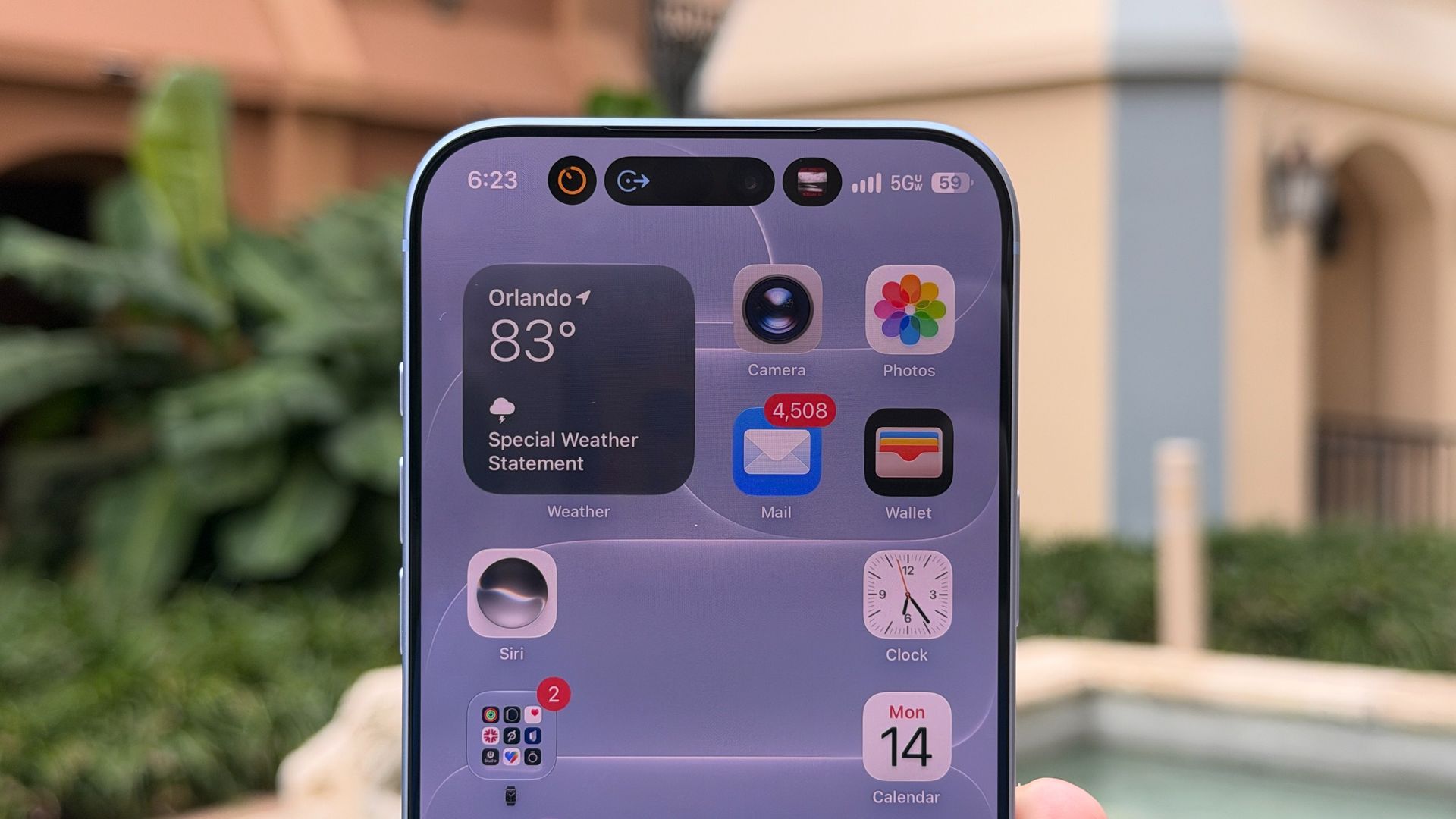
The iPhone 18 Pro has a new, better Dynamic Island — it’s smaller and can display three Live Activities at once, versus two on the original Dynamic Island. To shrink it, Apple moved the iPhone 18 Pro’s Face ID infrared (IR) camera away from the Dynamic Island and placed it under the top-left corner of the phone’s OLED panel.
As a result, this portion of the display features a modified pixel layout—there are larger gaps between pixels here than anywhere else on the iPhone 18 Pro's screen, allowing IR light to pass through and Face ID to function.
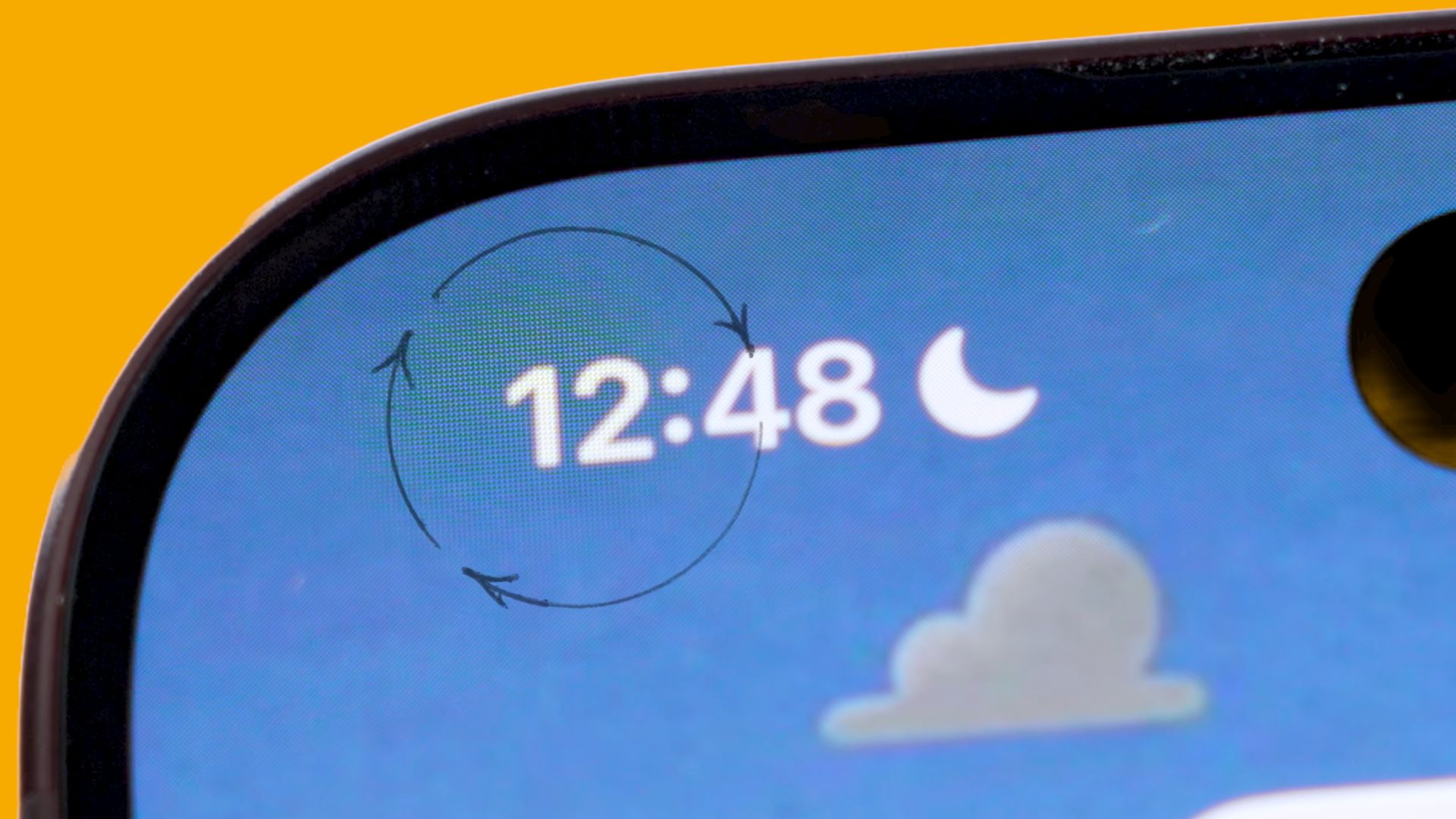
You’ll need a pretty serious zoom camera to spot these gaps with the naked eye (as this iFixit video demonstrates), but this pixel trickery does occasionally become visible, particularly when the clock is displayed (it only affects the first half of the clock, but I think that’s what gives it away).
I spotted this new under-display Face ID camera when using my iPhone 18 Pro for the first time (I mention it in my video review at 0:56, see below), but it’s too subtle to have remained distracting. And hey, maybe I went looking for it because I knew it was there.
Still, people notice it to varying degrees, as one Reddit forum suggests: “I haven’t noticed it at all. Zero difference to me,” wrote one user. Another said, “I usually only notice it when the black text of the clock is sitting directly on a solid white background, which isn't very often.”
But there are some outright negative responses to Apple’s Face ID switcheroo: “This really bothers me; I always notice it whenever I look at that part of the display,” one user wrote, while another said, “I don’t know how good people’s eyesight is, but I notice it clearly even with a passing glance. It’s actually quite distracting. I’d much rather have a larger Dynamic Island than an obvious screen disparity.”
I’m not sure I’d call the pixelation ‘obvious’, but then maybe my eyes are bad.
I did, however, feel like this iPhone 18 Pro oddity was worth explaining to those who may have noticed it and feared the worst. But honestly, it’s not a big deal — as mentioned, the trade-off is a better Dynamic Island — and at least we’re seeing Apple try new things with its long-standing iPhone features. More please.