Right-sizing a cache has always been one of the hardest questions our customers face. Until 2023, customers had no good answer to it. Since we launched Amazon ElastiCache Serverless at AWS re:Invent 2023, customers can create a cache in under a minute with no infrastructure to manage. It stays the right size as traffic changes. With Valkey, a serverless cache scales from zero to 5 million requests per second in under 13 minutes, doubling its throughput every 2–3 minutes, and up to 15 million requests per second when you read from replicas. It scales back down on its own. There is no capacity to plan, no maintenance window to schedule, and no patches to apply yourself. You pay only for the data you store and the requests you run. Not having to size a cache matters even more as AI agents build applications. Agents create caches on demand, often one per task or tenant, with traffic no one can predict. Because a cache needs no sizing and scales with each request, an agent can use as many caches as it needs. It doesn’t guess at capacity or pay for capacity it doesn’t use.
Tens of thousands of customers have created hundreds of thousands of Amazon ElastiCache Serverless caches, from a developer’s first prototype to mission-critical applications serving millions of users. A single cache supports up to 5 million requests per second, or up to 15 million requests per second when you read from replicas. With Valkey, pricing starts at $6 per month.
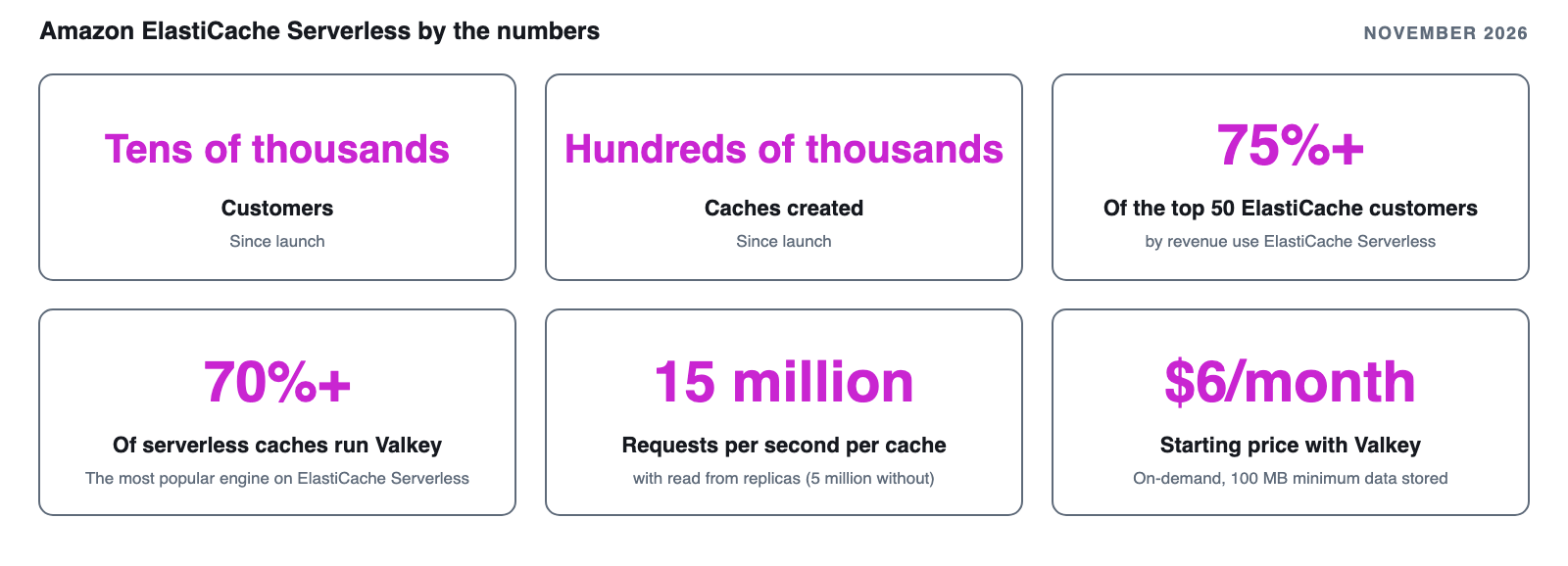
Figure 1: Amazon ElastiCache Serverless by the numbers, as of November 2026
In this post, we look back at three years of Amazon ElastiCache Serverless, show how customers use it, cover what we launched this year and how we patch your cache with minimal disruption, show how to estimate what it costs, and help you decide whether it fits your workload.
Three years of Amazon ElastiCache Serverless
We launched Amazon ElastiCache Serverless in November 2023 for Redis OSS and Memcached, with a single endpoint. In October 2024, we added Valkey 7.2 at a 33% lower price than other supported engines. Valkey also has a 100 MB minimum for data stored, 90% lower than the 1 GB minimum for other engines. A month later, ElastiCache version 8.0 for Valkey made scaling faster. A serverless cache now doubles its throughput every 2–3 minutes instead of every 10–12 minutes, because it adds CPU cores on demand for I/O and for moving data to new shards. At re:Invent 2025, AWS Database Savings Plans added a further 30% discount on Amazon ElastiCache Serverless for Valkey with a 1-year commitment and no upfront payment. This year, we added public endpoints, online migration, search, and Amazon DynamoDB caching, which we cover in the following sections.
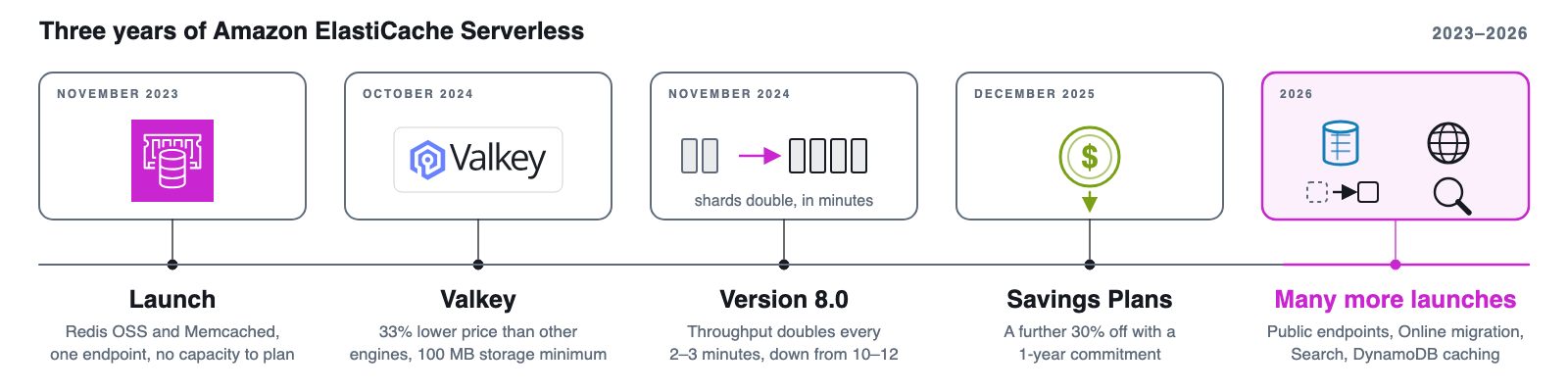
Figure 2: Three years of Amazon ElastiCache Serverless
Two years after we added it, Valkey is the most popular engine on Amazon ElastiCache Serverless. As of November 2026, more than 70% of serverless caches run Valkey, and the number of Valkey caches more than doubled over the past year. Every feature we launched for Amazon ElastiCache Serverless this year is built on Valkey. If you run Amazon ElastiCache Serverless for Redis OSS, you can upgrade to Valkey in place without downtime or changing your application code.
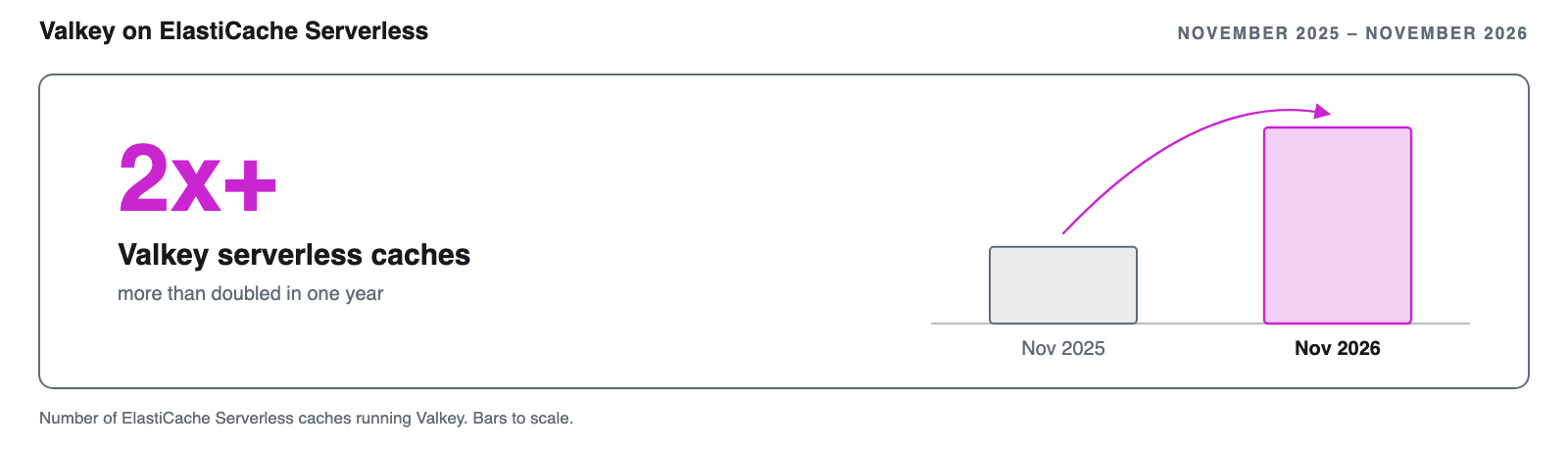
Figure 3: Valkey caches on Amazon ElastiCache Serverless more than doubled over the past year
How customers use Amazon ElastiCache Serverless
Customers choose Amazon ElastiCache Serverless so they no longer need to size, operate, and scale a cache themselves, and that includes our largest customers: more than 75% of the top 50 Amazon ElastiCache customers by revenue use Amazon ElastiCache Serverless for some of their workloads. Here’s what some customers have done with it:
- Scopely runs MONOPOLY GO!, with tens of millions of players, on Amazon DynamoDB and Amazon ElastiCache Serverless to handle unpredictable traffic spikes during game launches and live events. Read the re:Invent 2025 recap.
- Genesys uses Amazon ElastiCache for the high-throughput, low-latency storage behind millions of customer interactions a day. With Amazon ElastiCache Serverless, it no longer provisions instances, chooses configurations, or plans for scaling.
- Samsung SmartThings used to overprovision its caches for unpredictable traffic. “With Amazon ElastiCache Serverless, we no longer worry about cluster scaling and optimizing its costs—it just works,” says Khang Nguyen, Vice President of Cloud Platforms.
- Nine Entertainment cut its annual caching cost by 98% by compressing payloads and moving to Amazon ElastiCache Serverless for Valkey. Its engineers no longer pre-scale caches before major sporting events and season finales. Read Nine Entertainment’s journey.
- Alight Solutions uses Amazon ElastiCache Serverless for Valkey as its default for most workloads, as part of a migration that cut its caching costs by 60%.
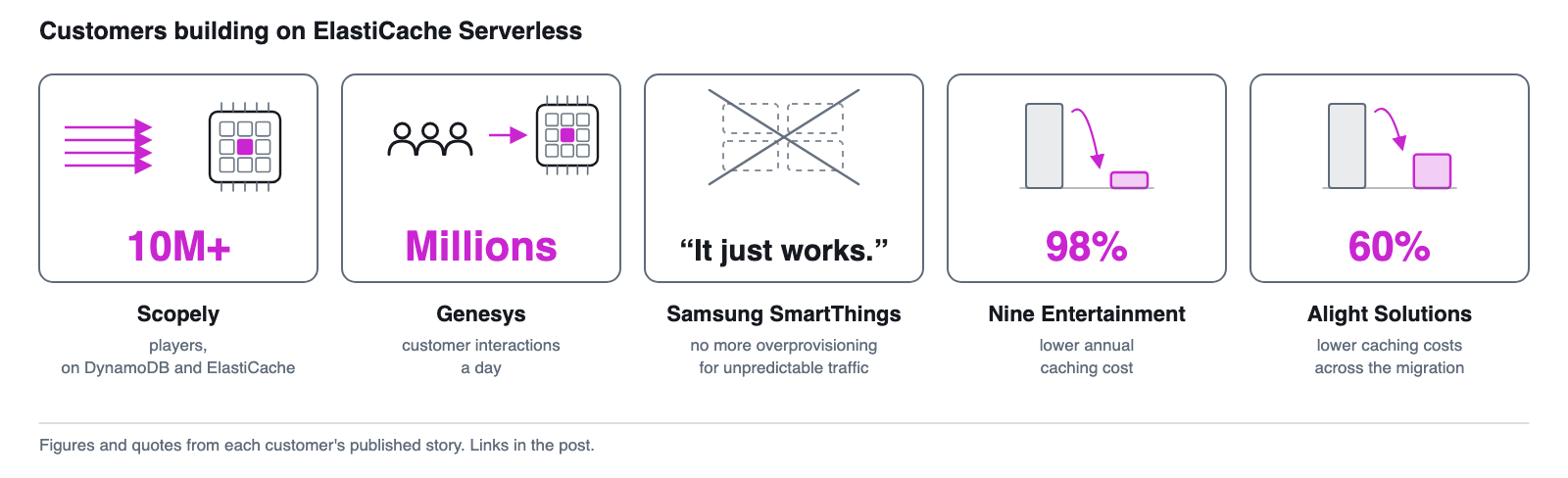
Figure 4: Customers building on Amazon ElastiCache Serverless
What’s new this year
This year’s launches let more applications use Amazon ElastiCache Serverless, from more places, with less work. The following table summarizes them in the order they launched.
| Launch | Available since | What it does |
| Public endpoints | September 2026 | Connects to a serverless cache over the internet with IAM authentication, without a VPC |
| Online migration | October 2026 | Moves self-managed Valkey and Redis OSS on Amazon EC2 to Amazon ElastiCache Serverless with zero downtime |
| Search | November 2026 | Runs vector, full-text, and hybrid search with aggregations on a serverless cache |
| DynamoDB caching | November 2026 | Puts a write-through Amazon ElastiCache Serverless cache in front of DynamoDB tables, with no cache code |
Public endpoints
With public endpoints, you can connect to an Amazon ElastiCache Serverless for Valkey cache over the internet from a laptop or an application running outside AWS. You don’t need to set up a virtual private cloud (VPC) or a VPN. Every connection requires IAM authentication and TLS 1.3. Public endpoints work well for AI workloads, where agents often run outside a VPC. An agent can create a cache, connect with its own IAM credentials, and use the cache for agent memory or semantic caching with frameworks such as Mem0 and LangGraph. Public endpoints require Valkey 9.0 or later. To get started, see Create a Valkey serverless cache with a public endpoint.
Online migration with zero downtime
If you self-manage Valkey or Redis OSS caches on Amazon Elastic Compute Cloud (Amazon EC2), moving to Amazon ElastiCache Serverless no longer means downtime or changes to your application. Online migration moves your data from caches running in cluster mode into Amazon ElastiCache Serverless for Valkey while your application keeps serving traffic. You can upgrade straight to Valkey 9.0 in the same step, and your existing security controls stay in place. To learn more, see Online migration to Amazon ElastiCache Serverless.
Search
You can now search the data in your serverless cache instead of running a separate search or vector database. Amazon ElastiCache Serverless for Valkey supports vector, full-text, tag, numeric, and hybrid search. Each cache is ready in under a minute and billed only for the data it stores and the ECPUs it uses. You can give every agent, session, or tenant its own searchable store. Use it for agent memory, retrieval-augmented generation (RAG), product discovery, and recommendations. Search requires Valkey 9.0 or later. To get started, see Getting started with Search.
DynamoDB caching
You can now cache your Amazon DynamoDB tables in Amazon ElastiCache Serverless for Valkey without writing or running any cache code. Add the DynamoDB caching client to your application, and it keeps calling DynamoDB as it does today. Reads of popular items come back from the cache in under a millisecond, and because the cache is write-through, cached items update whenever your application writes them. You choose which tables and calls to cache, and how long items stay cached. Because fewer reads reach DynamoDB, your read costs and throttling go down. DynamoDB caching requires Valkey 9.0 or later, and you turn it on when you create the cache. To learn more, see DynamoDB caching.
Patching and updates, handled for you
We keep your serverless cache on the latest minor and patch versions, so staying current is not something you need to plan for or worry about. When a Common Vulnerabilities and Exposures (CVE) entry affects your cache, we patch it automatically. We do the same for bug fixes, performance improvements, and new minor versions of the open source engine. There is no maintenance window to set, no update to approve, and nothing to apply yourself. When a new major version becomes available, you choose when to move, and that upgrade runs without downtime.
This year, we made patching even less disruptive for your application. Most connections now stay open and requests in flight complete, so your application sees fewer errors and smaller latency spikes than before. Long-lived connections stay up, including those that use AUTH or IAM authentication, and blocking commands such as BLPOP and BRPOP keep waiting instead of being dropped. The same improvements apply whenever the capacity behind your cache changes, so scaling is smoother too. We continue to monitor the impact of every patch and reduce it further. You don’t need to configure anything. Keep your client library up to date so your application benefits from these improvements.
Estimating what Amazon ElastiCache Serverless will cost you
What you pay depends on how much data you store and how much your traffic varies, so start with an estimate for your workload. Amazon ElastiCache Serverless bills on two dimensions: the data you store, metered in GB-hours, and the requests you run, metered in ElastiCache Processing Units (ECPUs). A simple GET or SET consumes 1 ECPU per kilobyte of data transferred, with a minimum of 1 ECPU per request. Commands that use more vCPU time consume proportionally more. Each engine has a minimum for metered data storage: 100 MB for Valkey and 1 GB for Redis OSS and Memcached. For current rates, see ElastiCache pricing.
The quickest way to estimate your Amazon ElastiCache Serverless cost for a new workload or for the node-based clusters you run today is the Amazon ElastiCache skill in the Agent Toolkit for AWS, which works with your AI coding assistant. To install it, run the following command, replacing <agent-id> with your agent’s ID from Getting started with the ElastiCache skill:
Then ask for an estimate in plain language. For example, you might ask: “Estimate the monthly cost of Amazon ElastiCache Serverless for Valkey in us-east-1 for 20 GB of data, 50,000 requests per second, and 1 KB items.”
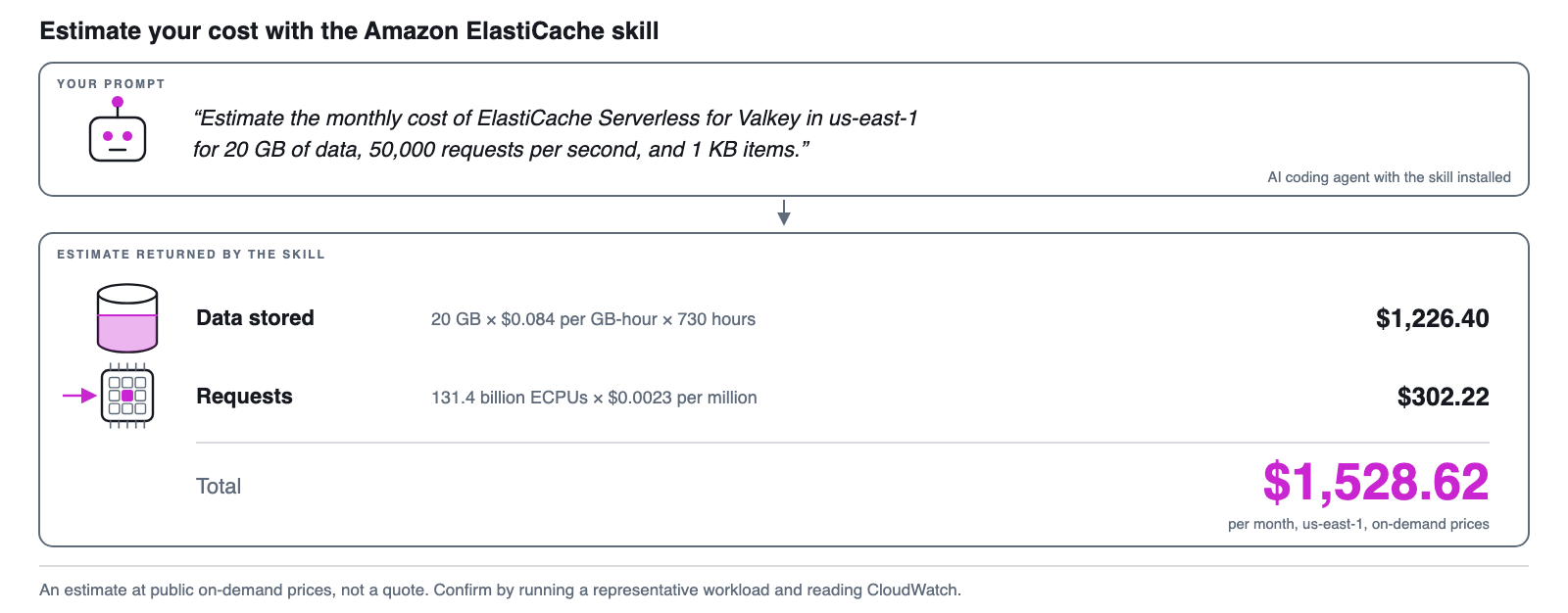
Figure 5: Estimating cost with the Amazon ElastiCache skill
The skill estimates about $1,226 a month for data storage and $302 for 131.4 billion ECPUs, for a total of about $1,529 a month at on-demand prices.
If you already run node-based clusters, the skill can also estimate what each one would cost on Amazon ElastiCache Serverless. Give your agent a CSV with each cluster’s node type, node count, average memory used, and daily command count, or point it at a cache endpoint to sample live traffic. Include what you pay today for each cluster so the comparison reflects your reserved nodes and other discounts. The estimator uses public AWS pricing, so you don’t need AWS credentials.
When we review cost estimates with customers, two adjustments come up most often. Start from the data you actually store, not the capacity you provisioned. If you are coming from a node-based cluster, use the average of the BytesUsedForCache metric on your primary nodes rather than node memory multiplied by utilization. And compare like with like: if your node-based clusters use reserved nodes, compare them with Amazon ElastiCache Serverless for Valkey under Database Savings Plans, not with on-demand pricing.
Whichever way you estimate, confirm the result by running a representative workload on a serverless cache for a few hours and reading the ElastiCacheProcessingUnits and BytesUsedForCache metrics in Amazon CloudWatch.
Is Amazon ElastiCache Serverless right for your workload?
Beyond the bill, consider how your workload behaves. For new caches, you should start on Amazon ElastiCache Serverless. It scales from a development cache to production applications serving millions of requests per second, and back down when traffic falls.
It fits best when your traffic rises and falls, predictably or not, because a node-based cluster must be sized for the peak. You pay for that peak the rest of the time. The most common case is a daily cycle. An application that is busy during the day and quiet at night pays for daytime capacity around the clock on nodes. A serverless cache scales down overnight. Sudden spikes work the same way. When an online store runs a flash sale, session and cart data arrives within minutes and drops off an hour later. The cache grows for the sale and shrinks afterward. Scopely runs game launches this way, and Nine Entertainment runs live sports events and season finales without pre-scaling its caches.
It also fits when you run many caches. You can give each tenant of a SaaS application, each test environment, or each AI agent its own cache, with no capacity to plan for any of them. AI applications in particular see bursts of activity followed by long quiet periods, which suits semantic caching and agent memory. For development and testing, a serverless cache starts at $6 per month for Valkey, so you can use one instead of a burstable node.
Node-based ElastiCache remains a good option for workloads with steady traffic around the clock, especially when you can commit to reserved nodes and have a team that tunes cluster size over time. Before you choose, count the engineering time that capacity planning and resizing take, not only the hourly price. For a side-by-side comparison, see Choosing between deployment options.
Each starting point has a path to Amazon ElastiCache Serverless. If you run self-managed Valkey or Redis OSS on Amazon EC2, use online migration. If you run Amazon ElastiCache Serverless for Redis OSS, upgrade the cache to Valkey in place. If you run node-based ElastiCache, restore a backup of your cluster into a new serverless cache. Before you move a workload, check that your client supports cluster mode and TLS, which Amazon ElastiCache Serverless requires, and estimate its cost as described in the previous section.
Conclusion
Three years after launch, Amazon ElastiCache Serverless runs everything from side projects to production workloads. You get more from it: it scales faster, costs less to run, and works with more of the applications you build. Valkey added a 33% lower price than other supported engines and a starting price of $6 per month, and Database Savings Plans added a further 30% discount. This year, we launched public endpoints, online migration, search, and DynamoDB caching, and made patching less disruptive for your application. As we start year four, we’re excited to see how you use these capabilities.
To get started, create a cache in the ElastiCache console or read Getting started with Amazon ElastiCache Serverless. If you have feedback, reach us through your AWS account team or AWS re:Post.


