A MySQL to Redshift pipeline tends to start as a nightly job: dump the tables, push the files to a bucket, run COPY. It works until someone asks why a refund issued at lunch still shows as revenue in the afternoon report. Full reloads cannot carry an update the moment it happens, and they cannot carry a delete at all unless you rebuild the table.
Here are the ways people usually move MySQL rows into Amazon Redshift:
- Export and
COPY.mysqldumporSELECT INTO OUTFILEto an Amazon Simple Storage Service (S3) bucket, thenCOPYinto Redshift on a schedule. Hours to daily freshness, and full reloads only. - AWS Database Migration Service (DMS). Change data capture (CDC) through the binlog into native Redshift tables, updates and deletes included. You run a replication instance, a task and an S3 staging bucket.
- The zero-ETL integration. ETL means extract, transform, load, and here there is nothing to run: changes land in native Redshift tables within seconds. It only accepts Aurora MySQL and Amazon Relational Database Service (RDS) for MySQL as sources, and Redshift is the only reader.
- Managed extract, load, transform (ELT) tools such as Fivetran, Estuary or Airbyte Cloud. Nothing to host and minutes of lag, depending on the plan. You pay per row, per GB or per connector for a second copy inside Redshift.
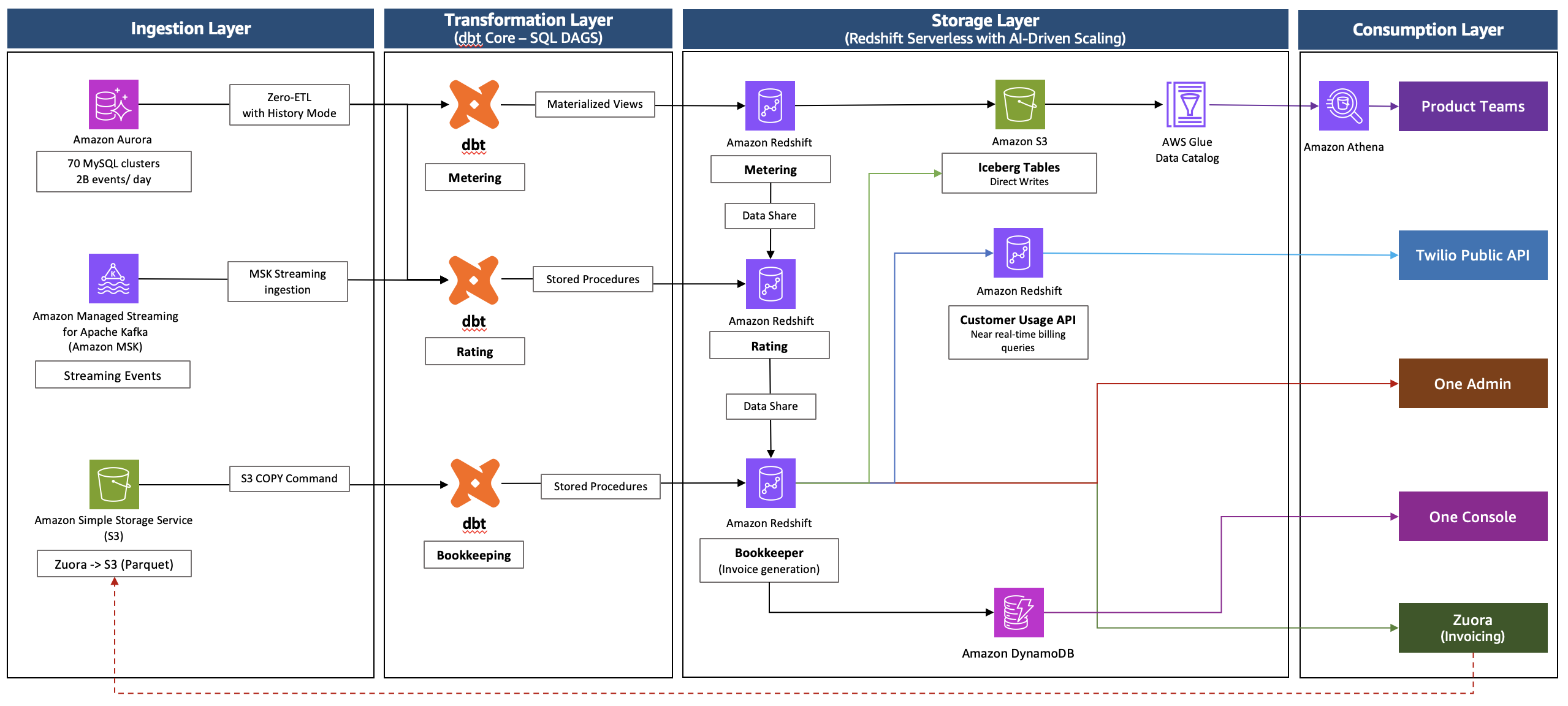
This tutorial builds a different one. OLake Go, an open source (Apache 2.0) replication tool, reads the MySQL binary log and commits Apache Iceberg tables into the AWS Glue Data Catalog. Redshift reads them in place through an external schema, and Athena and DuckDB read the same files.
I ran every step on 2026-10-30 with OLake Go v1.1.0, MySQL 8.4 in Docker and a Redshift Serverless workgroup at 8 Redshift Processing Units (RPU) in ap-southeast-1. The numbers below are from that run.
How the MySQL to Redshift pipeline fits together
- MySQL keeps a row-based binlog. OLake Go records the current binlog position, copies each table in parallel chunks, then replays the log from that position on every later sync.
- OLake Go writes Parquet data files and positional delete files to your bucket. Each sync ends with one commit that moves the table's metadata pointer in Glue.
- Redshift maps the Glue database onto a schema with one statement. A new commit is visible on the next query, with no refresh.
You need MySQL 8.0 or later, an AWS account where you can create a bucket and Identity and Access Management (IAM) entities, a Redshift Serverless workgroup or RA3 cluster, Docker, and about 40 minutes.
Step 1: Binlog settings and a replication user on MySQL
For a local test, this starts MySQL 8.4 with the binlog settings OLake Go needs:
docker run -d --name mysql_cdc -p 3306:3306 \ -e MYSQL_ROOT_PASSWORD=<root password> -e MYSQL_DATABASE=shop \ mysql:8.4 \ --server-id=1 --log-bin=mysql-bin --binlog-format=ROW \ --binlog-row-metadata=FULL --binlog-expire-logs-seconds=604800 On a server you already run, the same keys go in my.cnf, and log_bin needs a restart. On RDS, Aurora, Cloud SQL or Azure they go in the parameter group or server settings instead.
The two sample tables from the run:
CREATE TABLE customers ( id INT AUTO_INCREMENT PRIMARY KEY, name VARCHAR(100), email VARCHAR(200), city VARCHAR(100), tier VARCHAR(20), created_at TIMESTAMP DEFAULT CURRENT_TIMESTAMP, updated_at TIMESTAMP DEFAULT CURRENT_TIMESTAMP ON UPDATE CURRENT_TIMESTAMP); CREATE TABLE orders ( id INT AUTO_INCREMENT PRIMARY KEY, customer_id INT, product VARCHAR(100), amount DECIMAL(10,2), status VARCHAR(20), created_at TIMESTAMP DEFAULT CURRENT_TIMESTAMP, updated_at TIMESTAMP DEFAULT CURRENT_TIMESTAMP ON UPDATE CURRENT_TIMESTAMP, FOREIGN KEY (customer_id) REFERENCES customers(id)); Load any rows you like into them. Mine held 8 customers and 40 orders, and step 7 updates two customers by name, so use names that exist in your data.
Now the user OLake Go connects as, and fresh table statistics:
CREATE USER IF NOT EXISTS 'olake'@'%' IDENTIFIED BY '<password>'; GRANT SELECT, REPLICATION SLAVE, REPLICATION CLIENT ON *.* TO 'olake'@'%'; FLUSH PRIVILEGES; ANALYZE TABLE customers, orders; SHOW VARIABLES WHERE Variable_name IN ('log_bin', 'binlog_format', 'binlog_row_metadata', 'server_id'); ⚠️ Do not skip
ANALYZE TABLE. The snapshot plans its chunks from row estimates, and a table loaded a minute ago has none, so the first sync stops withstats not populated for table[shop.orders].
Step 2: A bucket, a writer user and a reader role
Create an S3 bucket in the region your Redshift workgroup runs in. OLake Go needs an IAM user (or role) that can write the bucket and manage Glue tables. This is the inline policy from the run:
{ "Version": "2012-10-17", "Statement": [ { "Effect": "Allow", "Action": ["s3:ListBucket", "s3:GetBucketLocation"], "Resource": "arn:aws:s3:::<bucket>" }, { "Effect": "Allow", "Action": ["s3:GetObject", "s3:PutObject", "s3:DeleteObject", "s3:AbortMultipartUpload", "s3:ListMultipartUploadParts"], "Resource": "arn:aws:s3:::<bucket>/*" }, { "Effect": "Allow", "Action": ["glue:GetDatabase", "glue:GetDatabases", "glue:CreateDatabase", "glue:GetTable", "glue:GetTables", "glue:CreateTable", "glue:UpdateTable", "glue:DeleteTable"], "Resource": ["arn:aws:glue:<region>:<account>:catalog", "arn:aws:glue:<region>:<account>:database/*", "arn:aws:glue:<region>:<account>:table/*/*"] } ] } Redshift reads with its own role. In the run, the role attached to the workgroup had AmazonS3ReadOnlyAccess and read access to Glue. You do not create a Glue database; OLake Go makes one per job.
Step 3: Start OLake UI and add the MySQL source
curl -sSL https://raw.githubusercontent.com/datazip-inc/olake-ui/master/docker-compose-v1.yml | docker compose -f - up -d Open http://localhost:8000 and sign in with admin / password. Go to Sources, click Create Source and pick MySQL.
Leave Enable CDC on and keep the default Initial Wait Time. My MySQL ran in another container, so the host was host.docker.internal, with database shop, user olake and SSL disabled.

Set up source tests the connection and then checks binlog_access, log_bin, binlog_format and binlog_row_metadata. A failed check names the setting, its current value and the one it wants, before anything is saved.
Step 4: Point the destination at Glue
Go to Destinations, click Create Destination, pick Apache Iceberg and set the catalog type to AWS Glue. Fill in the S3 Path OLake Go writes under, the AWS Region of the bucket and catalog, and the access key pair of the writer user. Leave the keys empty if OLake Go runs on an instance with a role.

Step 5: Build the job and run the snapshot
Go to Jobs and click Create Job. I named mine mysql_to_redshift and picked the source and destination from the last two steps.
Under Advanced Settings, the Target Query Engines list does not include Redshift yet. I set AWS Athena and DuckDB, then on the Streams page put each table on Full Refresh + CDC, ingestion Upsert, and the upsert type on Positional Deletes. That is the delete format Redshift reads, and both listed engines read it too.

Click Create Job, then Sync Now. The first run copied 48 records (2.10 KB) in 15 seconds, container start included.
The Glue database is named after the job and the source database, so mine became mysql_to_redshift_shop. To pick another name, edit the Iceberg DB field at the top of the Streams page before the first sync.
Step 6: One external schema in Redshift
Run this in query editor v2 after the first sync, in the same region as the Glue database:
CREATE EXTERNAL SCHEMA lakehouse FROM DATA CATALOG DATABASE 'mysql_to_redshift_shop' IAM_ROLE default; SELECT id, name, city, tier FROM lakehouse.customers ORDER BY id; SELECT status, count(*) AS n, round(sum(amount), 2) AS total FROM lakehouse.orders GROUP BY status ORDER BY status; IAM_ROLE default uses the default role of the Serverless namespace or the cluster. Name a role ARN instead if you keep several.
Step 7: Replay changes from the binlog
Make 12 changes in MySQL:
INSERT INTO customers (name, email, city, tier) VALUES ('Maya Patel', 'maya@example.com', 'Pune', 'silver'), ('Lucas Silva', 'lucas@example.com', 'São Paulo', 'bronze'); INSERT INTO orders (customer_id, product, amount, status) VALUES (9, 'Laptop', 1299.00, 'placed'), (9, 'Mouse', 25.50, 'placed'), (10, 'Monitor', 349.99, 'placed'), (3, 'Keyboard', 89.00, 'placed'), (7, 'Webcam', 79.90, 'placed'); UPDATE customers SET tier = 'gold' WHERE name = 'Liam Carter'; UPDATE customers SET city = 'Abu Dhabi' WHERE name = 'Zara Ali'; UPDATE orders SET status = 'delivered' WHERE id IN (1, 4, 7); Click Sync Now again. The second run read 12 records (563 bytes) from the binlog and took 14 seconds end to end.

For customers the sync wrote one data file with 4 rows (2 inserts and the new versions of 2 updated rows) and one positional delete file that retires the 2 old versions. The commit report in the sync log reads addedDataFiles=1, addedRecords=4, addedPositionalDeleteFiles=1, addedPositionalDeletes=2. orders had the same shape with 8 rows and 3 deletes.
Re-run the Redshift query with no refresh. Ten customers come back, one per key, with Liam Carter on gold and Zara Ali in Abu Dhabi.

OLake Go adds _olake_id, _op_type, _olake_timestamp and _cdc_timestamp to every table. _op_type is r for snapshot rows, c for inserts, u for updates and d for deletes.
Same tables from Athena and DuckDB
Athena lists mysql_to_redshift_shop in its database picker with no setup beyond a workgroup with a result location. The same customers query returned the same 10 rows and scanned 0.76 KB.

DuckDB 1.5.5 reads the current metadata file that Glue points to:
aws glue get-table --database-name mysql_to_redshift_shop --name customers \ --query 'Table.Parameters.metadata_location' --output text INSTALL iceberg; LOAD iceberg; INSTALL httpfs; LOAD httpfs; CREATE SECRET lake (TYPE s3, KEY_ID '<access key>', SECRET '<secret key>', REGION '<region>'); SELECT id, name, city, tier FROM iceberg_scan('<metadata_location from the command above>') ORDER BY id; The orders roll-up matched MySQL to the cent in all three engines: 16 delivered for 8659.68, 18 placed for 10522.26 and 11 shipped for 6397.25.
Tips from the run
- Binlog retention is the replay window. If a paused job outlives
binlog_expire_logs_seconds, it needs a fresh snapshot. Seven days covers a job that runs at least daily, but size the disk for it. - Decimals arrive as doubles.
DECIMAL(10,2)shows up asDOUBLE PRECISIONin Redshift. The totals matched, but round at query time for exact decimal arithmetic. - Timestamps are UTC.
datetimeandtimestampbecomeTIMESTAMP;json,enumandtimearrive asVARCHAR. - Every query goes to S3. The external schema reads Parquet through Redshift Spectrum each time, so it does not match native table speed.
- Primary keys matter. Tables without one replicate inserts, but updates and deletes cannot be matched to a row.
- Plan for compaction. Each sync adds small files, and Glue does not compact tables written by external engines.
MySQL to Redshift methods side by side
| Method | Freshness | Updates and deletes | Where rows land | What you run |
|---|---|---|---|---|
Export, then COPY | Hours to daily | No, full reloads | Native Redshift tables | A script, a scheduler, a staging bucket |
| AWS DMS | CDC through the binlog | Yes | Native Redshift tables | A replication instance and task, plus a staging bucket |
| Zero-ETL integration | Seconds | Yes | Native Redshift tables, Redshift only | Nothing; Aurora MySQL and RDS for MySQL only |
| Managed ELT | Minutes, by plan | Varies by tool | A second copy in Redshift | Nothing; per row, per GB or per connector |
| OLake Go to Iceberg on Glue | CDC on a schedule, down to one minute | Yes, as positional deletes | Iceberg tables Redshift, Athena and DuckDB read | One Docker Compose stack and your bucket |
If your MySQL is on Aurora or RDS and Redshift is the only reader, zero-ETL is less work. The route in this post earns its keep when the server lives elsewhere, or a second engine needs the same rows without another copy.
FAQ
What does the _op_type column tell me in Redshift?
It records how the current version of each row arrived. A row from the first snapshot carries r, an insert carries c and an update carries u. Filter the helper columns out of dashboards, or use them to see when a row last changed.
Can I insert or delete rows from the Redshift side?
No. The external schema is read-only, and INSERT or DELETE against these tables fails. OLake Go is the only writer, and MySQL stays the place where rows change.
Where do the Glue database name and the Redshift schema name come from?
The Glue database is the job name plus the source database, which gave mysql_to_redshift_shop here. The Redshift schema is whatever you name in CREATE EXTERNAL SCHEMA, lakehouse in this post. Change the Glue name through the Iceberg DB field before the first sync.
Who compacts the small files each sync leaves behind?
Not Glue, which has no built-in compaction for tables written by external engines. OLake Fusion compacts tables in the catalogs OLake Go writes to, and Spark on Amazon Elastic MapReduce (EMR) can run rewrite_data_files through the same Glue catalog.
Where to go from here
- Swap the Docker MySQL for your real server. Only the way you set the binlog keys changes on RDS, Aurora, Cloud SQL or Azure.
- Add more tables by ticking them on the job's Streams page, and run
ANALYZE TABLEon each first. - Put the job on a schedule. It drains the binlog each run and never repeats the full copy.
- The full guide, with the data type table, the CLI path and the troubleshooting list, is on olake.io.
If something in your setup does not match these steps, leave a comment and I will update the post.